

Switch without starting over.
Your roofs already have a history. We load it before our first visit, keep every figure as it was printed, and build on it.
Four steps, most of them ours.
You send what you have. We do the loading and the checking.
Send us what you have
Past reports, your building list with your property codes, and your warranty certificates. PDFs are fine.
We load and check it
Every figure we bring in is traced to its report and page, and a named person on our team signs off each import.
You sign in to your history
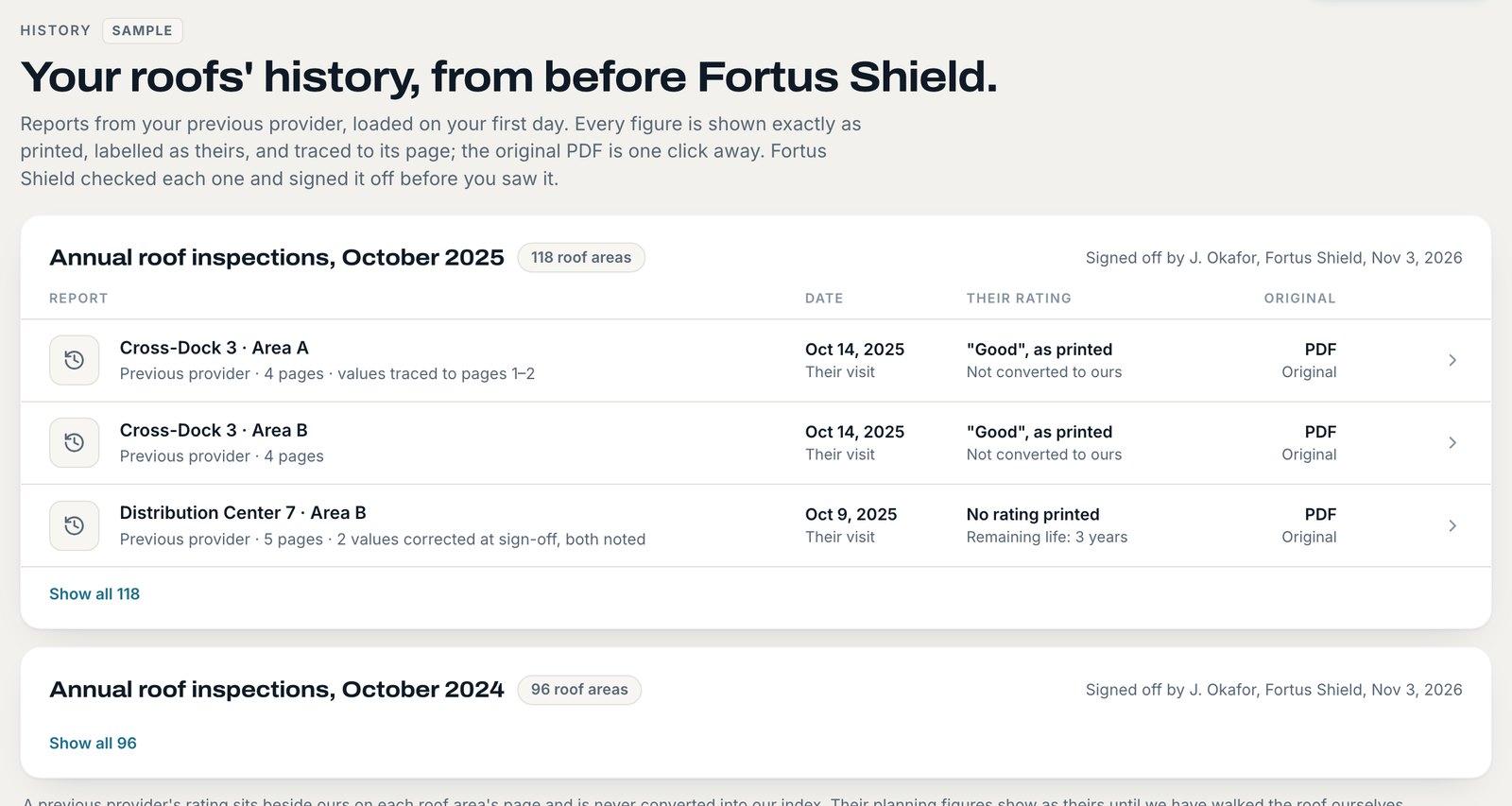
Each roof area shows your previous provider’s figures, labeled as theirs, with the original file a click away.
Our first visits
Each roof area then gets our own rating beside theirs. Until we have walked it, its page shows their figures.
 SAMPLE
Their figures, exactly as printed.
We never recompute or convert another firm’s numbers. Their rating sits beside ours with its own scale, and their budgets show as theirs until we have walked the roof ourselves.
- Traced to the report and page it came from.
- Signed off by a named person on our team.
- The original PDF, one click away.
Your codes, your history, your data.
Do we need anything from our current provider?
Only the reports and records you already have. If your team has them as PDFs, that is enough to start.
Their rating scale is different from yours. How do you show it?
Exactly as printed, beside ours, with its own scale. We never convert one into the other, and we leave theirs out of our averages.
When do we see our history?
Before our first visit. You sign in to your buildings and their past reports first; our visits then build on them.
Will our own systems still match?
Yes. We keep your property codes, and every export is keyed by them.
Let’s look at your roofs.
Tell us about your buildings and what you need, and we will come back to you to talk it through.